Showing posts with label Project 3. Show all posts

Sunday, March 25, 2018

Character Environment CANDYLAND | Final


Here is the final Candyland scene using some updates taken from the feedback provided. The feedback can be seen in my previous blog post.

New features to the final include:
Gray Scale Girl which changes once retrieval of Candy
Candy Wrapper Sound
Slight Change in girls movement, including the way she walks in, and the jumping motions.

Character Animation | Project 2 Girl in the Candyland Scene

I have attempted to create a rough draft of the original girl within the Candyland scene. She does not fit at all along the pathway, so I removed it, but I did attempt to get her to pick up candy. Because her anchor points are wonky, there was not a lot I could do.

The girl in the scene also has had a little bit fixed. I fixed the speed of her left arm, and I fixed the way her right hand waved.


Saturday, March 24, 2018

Character Environment CANDYLAND | Storyboard + Development + Feedback


Development
The following is rough sketches done in a pen that was running out of ink and mechanical pencil. I attempted to use arrows to symbolize the motion that the girl would be creating. These arrows can be found in frames such as three and four to show basic motion.
  • For frame three, I describe the rocking movement, which is something I want to create when she lands too hard and cannot catch her balance.
  • For frame four, I use arrows and pencil lines to describe the bending of her torso when retrieving the candy. The arrow can also be seen duplicated in pencil in the close up.


Feedback
The feedback I received touched base on many different things. I broke them down into categories in order to provide myself with a better framework for the final.

Character The girl’s color blends in with the candy (as does the candy with background). She also blends into the background. When she pops up at the end, you do not notice the candy in her mouth. Also, she seemed very pixelated when shown large scale on the projector.
Solutions I am considering changing her to a gray scale and once she retrieves the candy to have her change to a full colored character. I will also work on finding a way to remove the pixilation in her. I am hoping that I will be able to do this since she was created in Photoshop, something different than what I usually do. The candy will change to be more saturated also, instead of the cotton candy color scheme as the rest of the document.

Movement The girl jumps fast but falls slow, which is the opposite of real time movement. The girl does not accurately follow the path and may need to be scaled down in order to fit the path. Finally, the girl DOES NOT walk at the beginning but slides in.
Solutions I need to add the key frames for the walk motion at the beginning of the animation. Also, I need to work on her sizing and timing of separate things.

Sound While sound was not added, it was discussed. Possible addition of background noise, candy wrapper sound. The noise will demonstrate what is happening.

Questions Some questions I received were: “What’s the purpose of the outline?” “Should the girl be black and white till she picks up the candy?” “Why is the most animated part currently when she picks up the candy?”


Monday, March 19, 2018

Character Environment CANDYLAND | Rough Draft

Watch here:


Character Environment CANDYLAND | Styleframes


The following are style frames for what I suspect the scene will look like. Read below each frame to learn more.

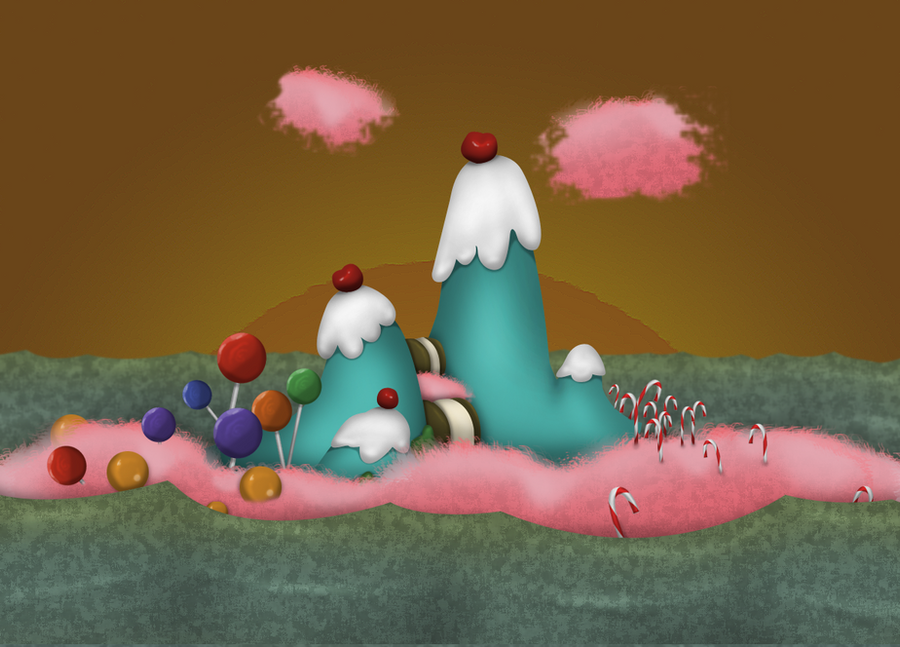
Candyland environment, illustrated in Adobe Illustrator based off a sketch. The idea is to have a beginning, middle, and foreground. (Orange grass, sign, candy canes / path, bushes, grass / mountains, sky, ground, tree / retrospectively)
Thick strokes to keep cartoon vibe.


The three girls scene in the video. They went through many stages. Sketches, to photoshop, to illustrator image trace, back to photoshop to be split for movement. The detail in the sketches was a little too heavy to trace with the simple pen tool, so this was my solution. Unfortunately, it does not translate as well in after effects as a monochromatic girl, so there will have to be another solution.

Sunday, March 18, 2018

Character Environment CANDYLAND | Collect

Inspiration

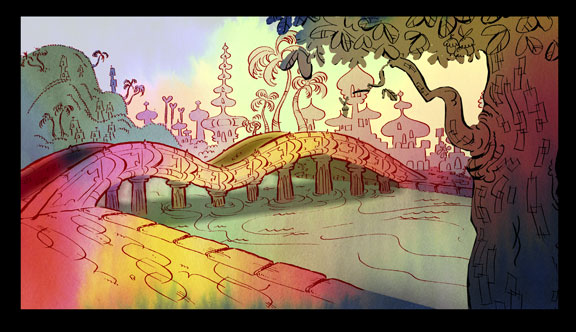
The following is a few scenes that gave me ideas for the type of scene I wanted to create. As mentioned in the previous blog post, I was inspired by the candy land board game design and the cartoon network style that my girl followed. Her colors of pink were also a huge inspiration to what I wanted to do with her, figuring pink reminded me of cotton candy.

Inspirations include:
Candied Island from Misadventures of Flapjack, Candy Land board game, and Chowder (show).
 

https://www.youtube.com/watch?v=r9hzxt8VKn4
https://www.youtube.com/watch?v=--oTQCysVTs


Tuesday, March 13, 2018

Character Environment | Beginning Solutions

Project Name: Candyland

Project Description: This is a combination of the new project and the last project, character animation. I am given the task to take my character from the last project, and create her environment. In this environment, she needs to interact with an object, which is something I left out last time. I also plan to give her a different movement, and her perfect some of the problems from last time.

Brainstorming:

I had many ideas for this project, and I am still brainstorming exactly what I want to do. I was originally inspired by the idea of her being a Korean pop singer, a K-Pop Star. I once took a sexy k-pop dance class while I was on a vacation, and it was definitely an inspiration behind how I originally built my character.

Unfortunately, I was unable to completely mimic many k-pop dance moves when creating my character. 

Because of this, my original idea for her environment was this sketch:
It was supposed to be her concert stage.

In a previous environment I had created for another class, I was taught to heavily rely on background, middle ground, and foreground, and I felt the concert stage did not have a lot of this, and was kind of flat.

I believe I will use photoshop and mesh some images together for this project.
I also believe I will have my character pick up a piece of candy.

Here's some image inspiration: